Reliable internet connectivity is essential for homes, offices, businesses, temporary workspaces, and many other environments. While broadband and fiber connections are widely available, there are situations where a 4G router or 4G modem can provide a practical alternative.
Although the terms “4G router” and “4G modem” are sometimes used interchangeably, they serve different purposes. Understanding the difference can help you choose the right device for your internet connectivity requirements.
In this guide, we’ll explain what a 4G router and 4G modem are, how they work, their differences, and which option may be suitable for different situations.
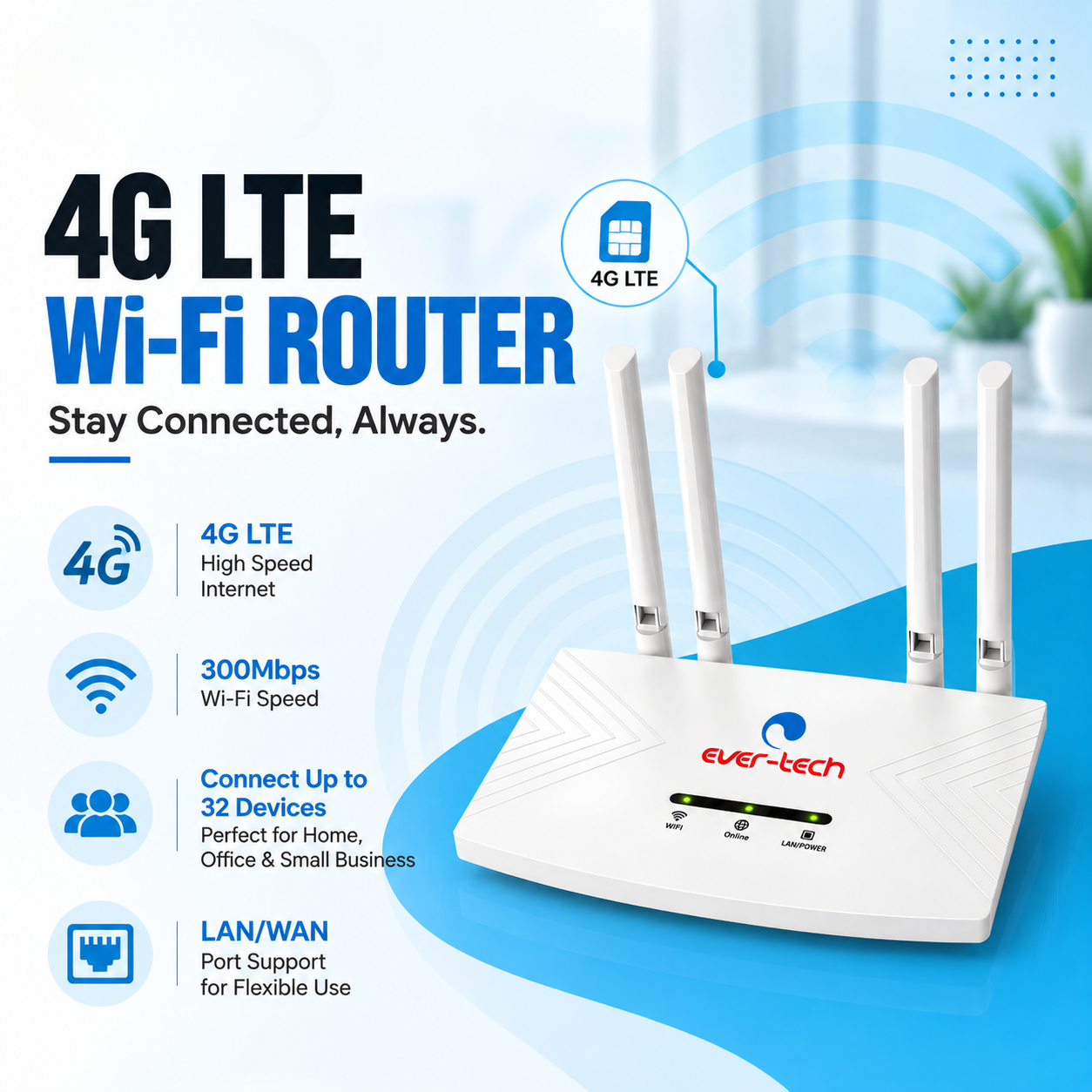
A 4G router is a networking device that uses a 4G mobile network connection to provide internet access to connected devices.
A compatible SIM card is inserted into the router, which connects to the available 4G mobile network. The router then shares that internet connection with other devices, typically through Wi-Fi and/or Ethernet.
A basic setup looks like:
SIM Card → 4G Network → 4G Router → Wi-Fi / Ethernet → Connected Devices
A 4G router can therefore act as a central internet connection for multiple devices.
For example, a small office without a fiber connection could use a 4G router to provide internet access to computers, smartphones, printers, and other compatible devices.
A 4G modem is a device designed primarily to provide internet connectivity to a computer or other compatible host device through a cellular network.
Many 4G USB modems connect directly to a laptop or desktop computer through a USB port.
A typical setup looks like:
SIM Card → 4G Network → 4G USB Modem → Computer
Unlike a typical 4G router, a basic USB modem is generally designed around providing connectivity to the device it is connected to rather than acting as a central network for multiple devices.
The main difference is how the device provides and shares internet connectivity.
Feature | 4G Router | 4G Modem |
SIM support | Typically yes | Typically yes |
Uses 4G mobile network | Yes | Yes |
Wi-Fi sharing | Common | Usually not the primary function |
Ethernet connectivity | Common on routers | Depends on model |
Designed for multiple devices | Yes | Usually designed around one host device |
Portability | Varies by model | Usually highly portable |
Typical use | Home, office, business | Laptop/desktop internet access |
The exact features vary between models, so specifications should always be checked before purchasing.
A 4G router uses a SIM card to connect to a mobile network.
Once connected, the router converts the mobile network connection into a local network that other devices can access.
Depending on the model, users may connect through:
This makes a 4G router useful when several devices need internet access through one cellular connection.
A 4G modem connects to a compatible host device, commonly through USB.
The modem communicates with the mobile network using the inserted SIM card and provides internet connectivity to the connected computer.
This can be particularly useful for users who need mobile internet access while traveling or working in locations where fixed broadband isn’t available.
A 4G router can be a suitable option when you need to connect multiple devices.
A small office can use a 4G router to provide connectivity to multiple computers, phones, and other network devices.
For temporary offices, events, construction sites, or other locations where a fixed internet connection may not be available, a 4G router can provide an alternative connectivity solution.
Businesses that depend heavily on internet connectivity may use cellular connectivity as a backup option when their primary connection becomes unavailable.
The exact backup configuration depends on the network equipment being used.
A 4G router can be useful in locations where fixed broadband infrastructure is limited but a suitable cellular network is available.
A 4G modem can make sense when internet connectivity is primarily needed for one computer.
A USB 4G modem can provide mobile internet access to a compatible laptop without relying on public Wi-Fi.
A compact modem can be convenient for users who frequently work from different locations.
If a primary internet connection becomes unavailable, a 4G modem can provide an alternative connection for a compatible computer.
A 4G modem can provide internet access in locations where fiber or wired broadband isn’t readily available, provided the required mobile network coverage exists.
A 4G router can allow several compatible devices to share one cellular internet connection.
Many 4G routers can create a local Wi-Fi network, making it convenient to connect smartphones, laptops, tablets, and other wireless devices.
Instead of configuring mobile connectivity separately on every device, a router can provide one central connection.
A 4G router can be deployed without waiting for a fixed broadband connection to be installed.
USB 4G modems are generally small and easy to carry.
A modem can connect directly to a compatible computer without requiring a separate Wi-Fi router.
For users who primarily need internet access on one laptop or desktop, a modem can provide a straightforward solution.
A compatible SIM card allows the device to access a cellular network wherever suitable coverage is available.
Choosing the right device involves more than looking at the advertised 4G speed.
Check which SIM format and cellular bands are supported by the device.
Different devices can support different network technologies and frequency bands, so compatibility with your mobile network provider is important.
A 4G device can only provide a reliable connection where the relevant mobile network has adequate coverage.
Before purchasing, check the network coverage available at the location where the device will be used.
Check the manufacturer’s specifications for supported network speeds.
Actual performance can vary based on:
Therefore, the maximum advertised speed should not be treated as a guaranteed real-world speed.
If you need to connect smartphones, laptops, tablets, or other wireless devices, check whether the 4G router supports Wi-Fi and the required wireless standards.
For office networks or devices that require wired connectivity, Ethernet ports can be an important consideration.
If several users or devices will share the connection, check the router’s supported device capacity and network performance.
Depending on the installation and device design, antenna configuration can affect cellular reception.
For locations with weaker signals, check whether the device supports external antennas or other signal-improvement options.
Ever-Tech offers both 4G router and 4G modem options.
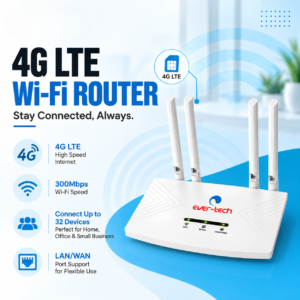
The ET-4GR4A is part of Ever-Tech’s 4G router range and is designed to provide cellular internet connectivity through a compatible SIM-based connection.
It can be considered for applications where a 4G connection needs to be shared with multiple devices.
The ET-4GU150 is a 4G modem designed for mobile internet connectivity through a compatible host device.
Its compact modem format makes it suitable for users who need a cellular internet connection without deploying a complete wireless router.
Always check the current product specifications and supported network compatibility before purchasing.
The right option depends on how the connection will be used.
For an office where several computers and wireless devices need to share one connection, a 4G router may be more suitable.
For an individual employee who needs mobile connectivity on a laptop, a 4G modem may be more practical.
Businesses can also consider 4G connectivity as part of a backup internet strategy, depending on their network infrastructure and operational requirements.
For individual travel use, portability can be an important factor.
A USB 4G modem can be convenient when internet access is required primarily on one laptop.
A portable 4G router may be more useful when several people or devices need to share the same mobile connection.
The choice therefore depends on whether you need individual connectivity or shared connectivity.
A 4G router can provide internet access without a traditional wired broadband connection, but whether it is suitable as a full replacement depends on your requirements.
Factors to consider include:
For light to moderate internet use in suitable coverage areas, 4G can be a practical connectivity option. For high-volume applications, fixed broadband may offer different performance characteristics.
A basic USB 4G modem is primarily designed to provide connectivity to its host device.
If you need to share a cellular connection with multiple devices, a 4G router is generally the more appropriate type of equipment.
Some computers can share their internet connection with other devices using operating-system features, but this is different from using a dedicated 4G router.
A 4G router typically connects to a mobile network and shares the internet connection with multiple devices through Wi-Fi or Ethernet. A 4G modem generally provides cellular internet connectivity directly to a host device, often through USB.
They are designed for different purposes. A 4G router is generally more suitable when multiple devices need to share a connection, while a 4G modem can be useful when a single computer needs mobile internet access.
Many 4G routers support SIM cards, but the exact SIM format and network compatibility depend on the model.
Yes. USB 4G modems are commonly designed to connect directly to compatible laptops or desktop computers.
No. A 4G router can use a compatible cellular network as its internet source instead of a wired broadband connection.
A 4G connection can be used for certain remote surveillance applications, depending on the CCTV equipment, bandwidth requirements, network coverage, and data plan. The complete system should be designed according to the camera and remote-access requirements.
A 4G router and a 4G modem both provide internet connectivity through a mobile network, but they are designed for different use cases.
A 4G router is generally suited to situations where multiple devices need to share one cellular connection through Wi-Fi or Ethernet. A 4G modem is more focused on providing mobile internet connectivity to an individual compatible computer or host device.
Before choosing between them, consider your number of users, network coverage, SIM compatibility, connectivity requirements, speed requirements, portability, and data usage.
Ever-Tech offers both 4G router and 4G modem solutions, including the ET-4GR4A 4G Router and ET-4GU150 4G Modem, giving users options for different mobile connectivity requirements.

Excellence through technology
Excellence through technology

WhatsApp us